Smart Home Starter Kit for Hosts
This post contains affiliate links. If you buy through them, we may earn a commission at no extra cost to you. As an Amazon Associate we earn from qualifying purchases. Learn more.
How we researched this: this is a research roundup based on manufacturer specifications and published reviews. We have not tested these products hands-on, and we do not list prices or ratings. Check the linked sources and current listings before you buy.
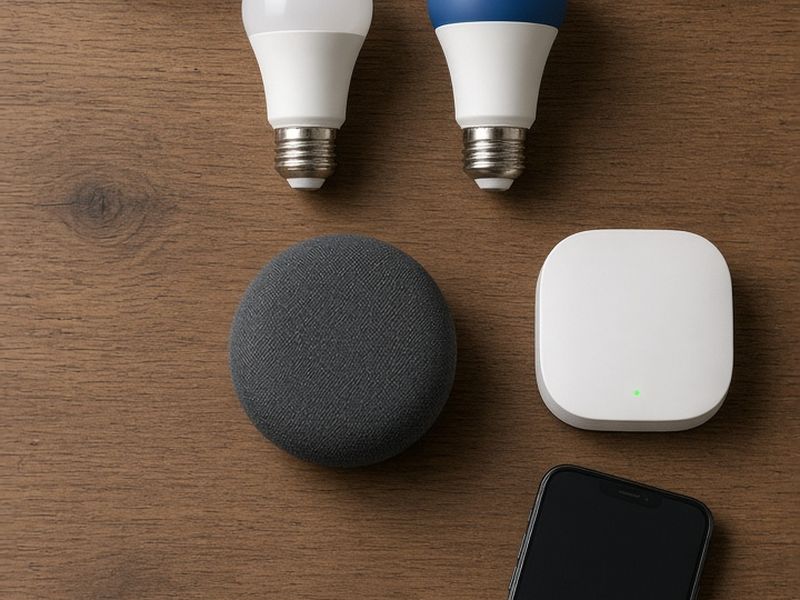
Smart home gear can save hosts time, money and late-night phone calls, but only if it stays simple for guests and reliable for you. A starter kit should cover access, comfort, safety and remote visibility without filling the home with gadgets guests have to learn. This guide pulls together the categories we cover in other Host Gear posts and adds a few low-cost extras. It is a research roundup based on manufacturer specifications and published reviews; we have not tested these products hands-on.
Start with a solid network
Every smart device depends on Wi-Fi. A weak signal causes locks to miss code updates, cameras to drop footage and guests to leave reviews about slow internet.
- Put the router in a central spot, not in a closet or behind the TV.
- Consider a mesh Wi-Fi system for larger homes or properties with outdoor spaces.
- Create a separate network for smart devices and another for guests, if your router allows it.
- Write the guest network name and password in the welcome guide and on a small card.
A reliable network is the least exciting purchase on this list and the most important. Compare mesh Wi-Fi systems.
The core four
These four devices handle the most common host problems. Each has its own guide on this site.
- Smart lock: unique codes for each stay. Published reviews often recommend the Yale Assure Lock 2 and the Schlage Encode Plus.
- Smart thermostat: remote control and eco settings between stays. Wirecutter names the Ecobee Smart Thermostat Premium its top pick.
- Noise and occupancy monitor: privacy-safe alerts for parties. Minut and NoiseAware are two widely used options.
- Outdoor camera: entry and driveway coverage only, always disclosed. Reviews frequently mention Arlo, Ring, eufy and Blink.
If your budget only covers one, most hosts start with the lock, because it removes key handoffs entirely.
Cheap extras with big payoffs
Once the core is in place, small additions solve specific problems.
- Water leak sensors under sinks, the water heater and the washing machine alert you before a slow leak becomes a ceiling repair.
- Smart plugs can power-cycle a router or turn off a space heater remotely.
- Outdoor smart plugs put string lights and landscape lighting on a schedule.
- Smart bulbs on porch lights can switch on for late arrivals.
Label anything guests might unplug. A sticky note on a router plug saying "Please keep plugged in for Wi-Fi" prevents a surprising number of issues.
Pick one ecosystem
Mixing brands is fine, but control them from as few apps as possible. Matter is a newer standard designed to let devices from different brands work together. Several products in our guides are described as Matter-compatible, including the Yale Assure Lock 2 and the Nest Learning Thermostat (4th gen), and the Google TV Streamer doubles as a Google Home and Matter hub.
For multiple properties, property management software that connects locks, thermostats and noise monitors can automate most of the work. Check its supported device list before buying hardware.
Keep it simple for guests
Guests should not need an app to enjoy your home. The best smart rental feels normal.
- Light switches should still work like light switches.
- The thermostat should be adjustable by hand within a sensible range.
- Voice assistants should be optional, disclosed, and easy to mute.
- Every device that collects any data should be listed in your house rules.
If a device generates more guest questions than it solves, remove it.
Turnover checklist for smart devices
Add a few smart home steps to your cleaner's checklist:
- Confirm the lock shows the new guest code and the old one has expired.
- Set the thermostat to the arrival temperature.
- Sign out of streaming apps on every TV.
- Check battery levels on the lock and sensors.
- Confirm cameras and monitors are online.
Five minutes per turnover keeps the whole system trustworthy.
Budgeting the kit over time
You do not need to buy everything at once. Many hosts phase it in: the network and smart lock before the first booking, a thermostat before the first hot or cold season, and monitoring once reviews start rolling in. Keep a simple spreadsheet listing each device, its install date, its batteries and the account it lives under. When you add a second or third property, that record makes it easy to copy the setup and spot which devices generated problems. We do not list prices here because they change often; use the search links to compare current options.
Frequently asked questions
Is a smart home worth it for one property? The lock and thermostat alone can remove key handoffs and reduce wasted energy in an empty home, which many hosts find worthwhile even for a single unit.
Do guests mind smart devices? Most do not, as long as everything is disclosed and nothing records inside the home.
Where should I start? Network first, then the smart lock, then the thermostat, then monitoring. Add extras as specific problems arise.
Shop the ideas
- Smart plugs on Amazon
- Smart bulbs on Amazon
- Water leak sensors on Amazon
- Outdoor smart plugs on Amazon
- Mesh Wi-Fi systems on Amazon
- Matter-compatible hubs on Amazon
Links go to Amazon search results so you can compare current options, prices and reviews yourself.
Sources
Save this idea to Pinterest.
More Host Gear
- Outdoor Amenities That Help Your Rental Stand Out
- Keyless Check-In and Guest-Ready Checklist
- Best Smart Locks for Vacation Rentals
Images: AI-generated illustrations created for The Backyard Gazebo.