Keyless Check-In and Guest-Ready Checklist
This post contains affiliate links. If you buy through them, we may earn a commission at no extra cost to you. As an Amazon Associate we earn from qualifying purchases. Learn more.
How we researched this: this is a research roundup based on manufacturer specifications and published reviews. We have not tested these products hands-on, and we do not list prices or ratings. Check the linked sources and current listings before you buy.
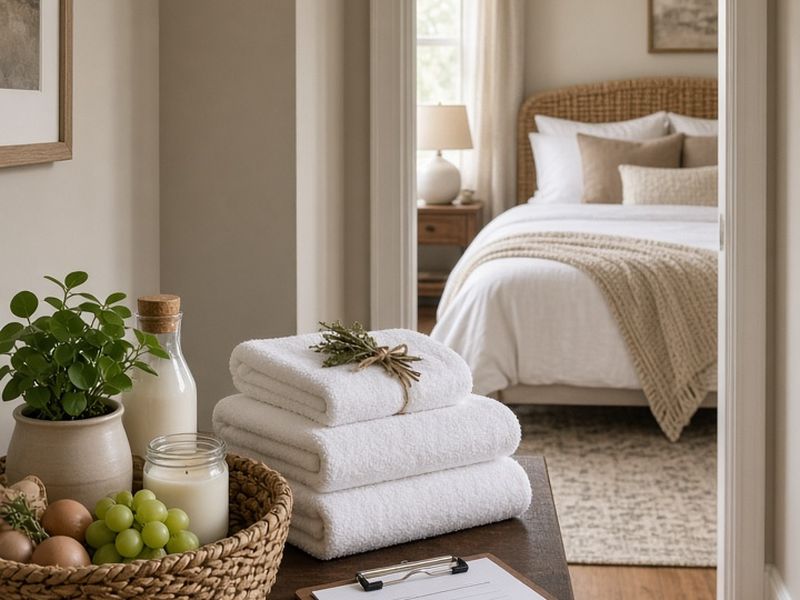
Keyless check-in lets guests arrive whenever their flight lands, without you or a co-host waiting by the door. Done well, it is the smoothest part of a stay. Done badly, it is the source of the angriest messages you will ever get. This guide walks through a reliable keyless setup and finishes with a guest-ready checklist you can hand to your cleaner. Product mentions are based on manufacturer specifications and published reviews; we have not tested them hands-on.
Pick the right lock
Keyless check-in starts with a smart lock that can schedule unique codes. Published host-focused reviews frequently recommend the Yale Assure Lock 2, which supports up to 250 codes, and the Schlage Encode Plus, which has built-in Wi-Fi and an ANSI/BHMA Grade 1 rating. For remote properties with unreliable internet, igloohome locks can generate offline PINs.
See our full guide to the best smart locks for vacation rentals for details. Whatever you choose, keep a backup entry method that does not depend on the internet.
Automate the codes
Manual code entry works for one property and a few bookings a month. Beyond that, mistakes creep in. Many property management tools connect to smart locks and create codes automatically from your booking calendar.
Host guides on automating guest access codes recommend testing the whole workflow before relying on it:
- Create a test booking and confirm the code appears on the lock.
- Change the dates and confirm the code updates.
- Cancel the booking and confirm the code is deleted.
- Disconnect Wi-Fi and confirm your offline backup still works.
Repeat the test after any software or lock firmware update.
Make arrival easy to find
Most check-in problems are not lock problems. They are "I can't find the house" problems.
- Use an illuminated house number visible from the street.
- Add a motion-sensor porch light so the keypad is easy to see at night.
- Send a short message with a photo of the front door and the lock.
- Include parking instructions and a photo of the parking spot.
- Send the code and instructions on the morning of arrival, not weeks ahead.
A guest who arrives at 11 p.m. in the rain should be able to get inside in under a minute.
Write a clear arrival message
Keep the message short and in the order guests need it: address, parking, door, code, Wi-Fi, and who to contact. For example: "Welcome! Park in the left side of the driveway. The front door has a keypad. Enter your code, then press the lock button. Wi-Fi details are on the card in the kitchen. Message us any time if you need help."
Translate key details if you host many international guests, and keep a printed copy inside the door.
Guest-ready checklist: entry and smart devices
Use this list after every turnover.
- Lock shows the new guest's code; the previous code has expired.
- Lock batteries are above the low level, with spares stored on site.
- Porch light and path lights work.
- Thermostat is set to the arrival temperature.
- Streaming apps are signed out on every TV, and the remote has batteries.
- Wi-Fi is working and the guest card is in place.
- Noise monitors and outdoor cameras are online and listed in the house rules.
Guest-ready checklist: inside and outside
- Beds made with fresh linens, and extra blankets available.
- Towels, toilet paper and basic toiletries stocked.
- Kitchen basics: coffee, salt, pepper, cooking oil, dish soap.
- Smoke and carbon monoxide detectors tested.
- Fire extinguisher and first aid kit in their usual places.
- Hot tub tested, cleaned and covered, if you have one.
- Fire pit cleared, with propane level checked.
- Outdoor cushions dry, furniture arranged, and string lights on schedule.
- Trash and recycling emptied, with pickup day noted in the guide.
Have your cleaner take a few photos of each room and the outdoor spaces after every clean. They help with damage claims and quality control.
Checkout instructions that make turnover faster
Keyless check-in pairs well with simple checkout instructions. Keep the list short: start the dishwasher, take out trash, close windows, turn off the fire pit and lights, cover the hot tub, and lock the door with the keypad. Long chore lists frustrate guests and can hurt reviews, so ask only for what genuinely saves your cleaner time. Send the list the evening before checkout, and thank guests in the same message. The lock's activity log will confirm departure time, so your cleaner knows exactly when they can start.
Frequently asked questions
Is keyless check-in safe? With unique, scheduled codes and an activity log, it is generally more secure than a shared physical key or a lockbox code that never changes.
What if the lock fails? Keep a physical key or offline backup with a local co-host or in a secure lockbox, and test it regularly.
When should I send the code? Many hosts send it the day before or the morning of arrival, after confirming the booking details.
Shop the ideas
- Keypad smart locks on Amazon
- Wall-mount lockboxes on Amazon
- Illuminated house numbers on Amazon
- Motion sensor porch lights on Amazon
- Welcome baskets on Amazon
- First aid kits on Amazon
- Home fire extinguishers on Amazon
Links go to Amazon search results so you can compare current options, prices and reviews yourself.
Sources
Save this idea to Pinterest.
More Host Gear
- Best Smart Locks for Vacation Rentals
- Outdoor Security Cameras for Rental Hosts
- Smart Thermostats for Rentals
Images: AI-generated illustrations created for The Backyard Gazebo.